Four comparison layersForms, Data Entities, and Tables across F&O and CE
 Versionz Product
360° COMPARISON FOR MICROSOFT DYNAMICS 365
The D365 Comparison Tool compares D365 F&O Forms, Data Entities, Tables, and D365 CE Tables - from one web-based platform.
Most D365 data comparison approaches stop at one layer. This covers four - from the Dynamics 365 Finance & Operations form a user works in, down to the table beneath it, and across to Dynamics 365 Customer Engagement.
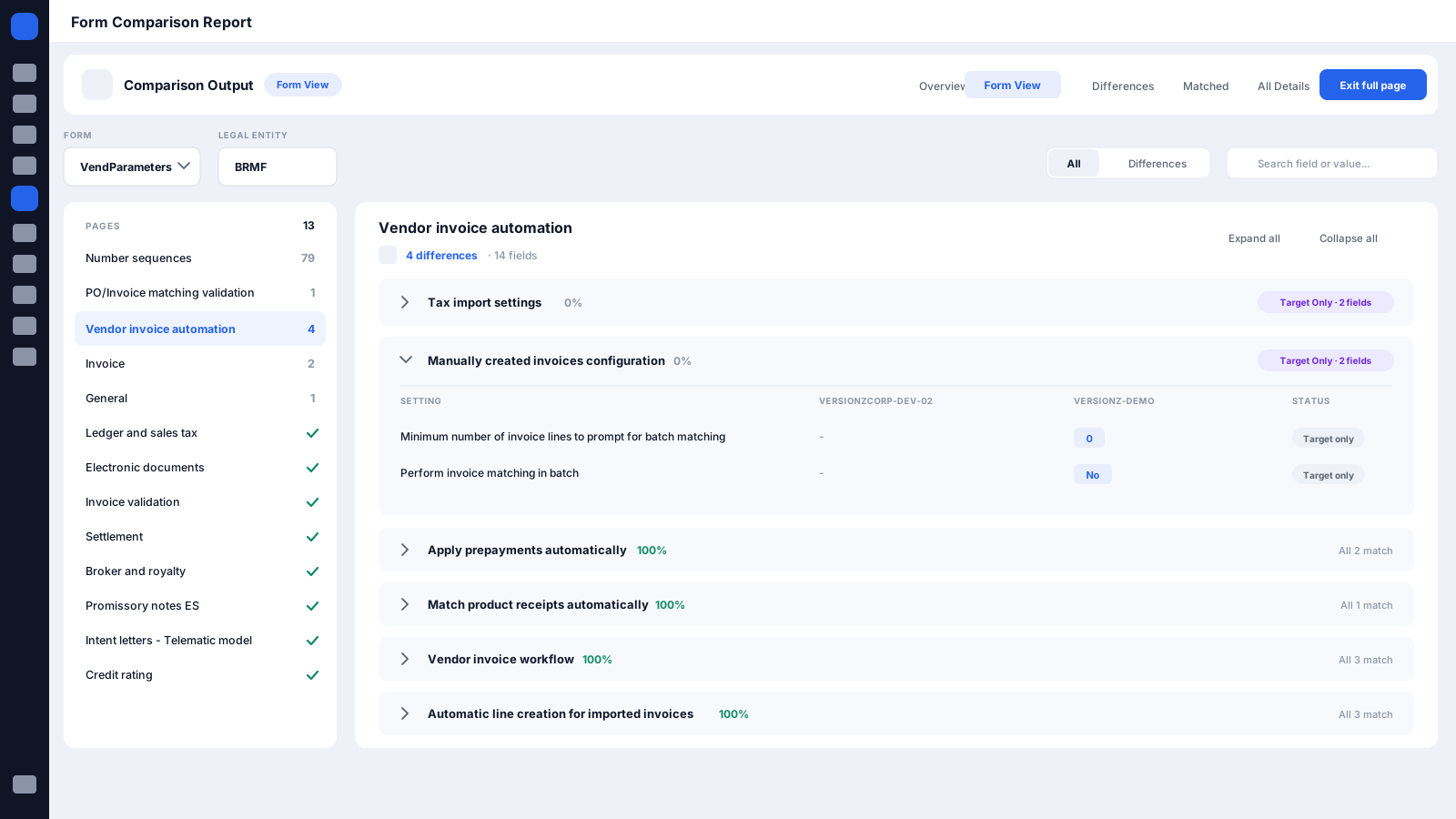
Compare from the D365 F&O form your team already works in - no table or entity knowledge needed.
Compare standard and custom Data Entities across D365 environments to confirm migrations, integrations, and refreshes landed correctly.
Compare standard and custom F&O Tables to trace any difference back to the underlying data.
Compare standard and custom D365 CE Tables - CRM validation on the same platform as ERP.
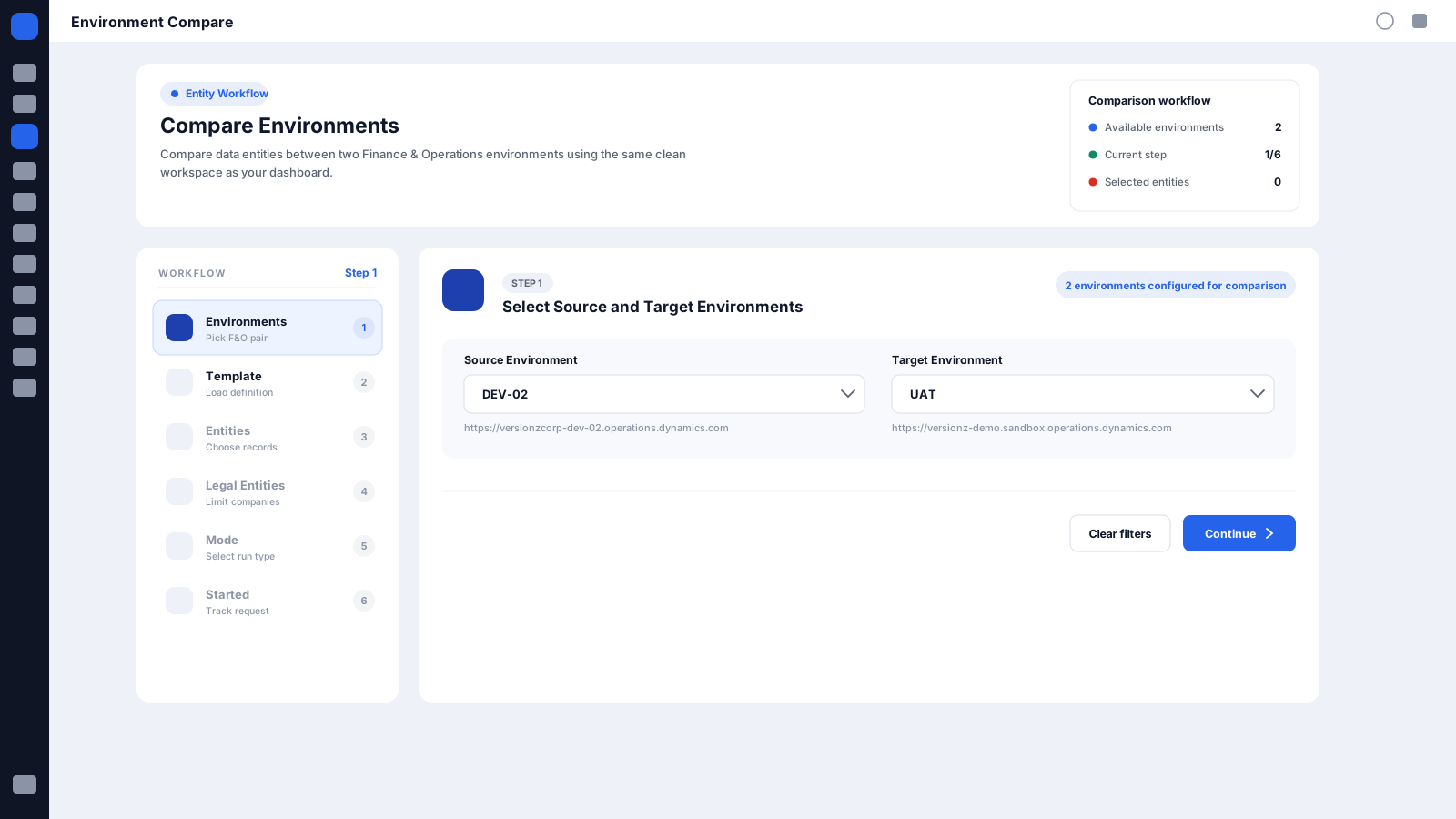
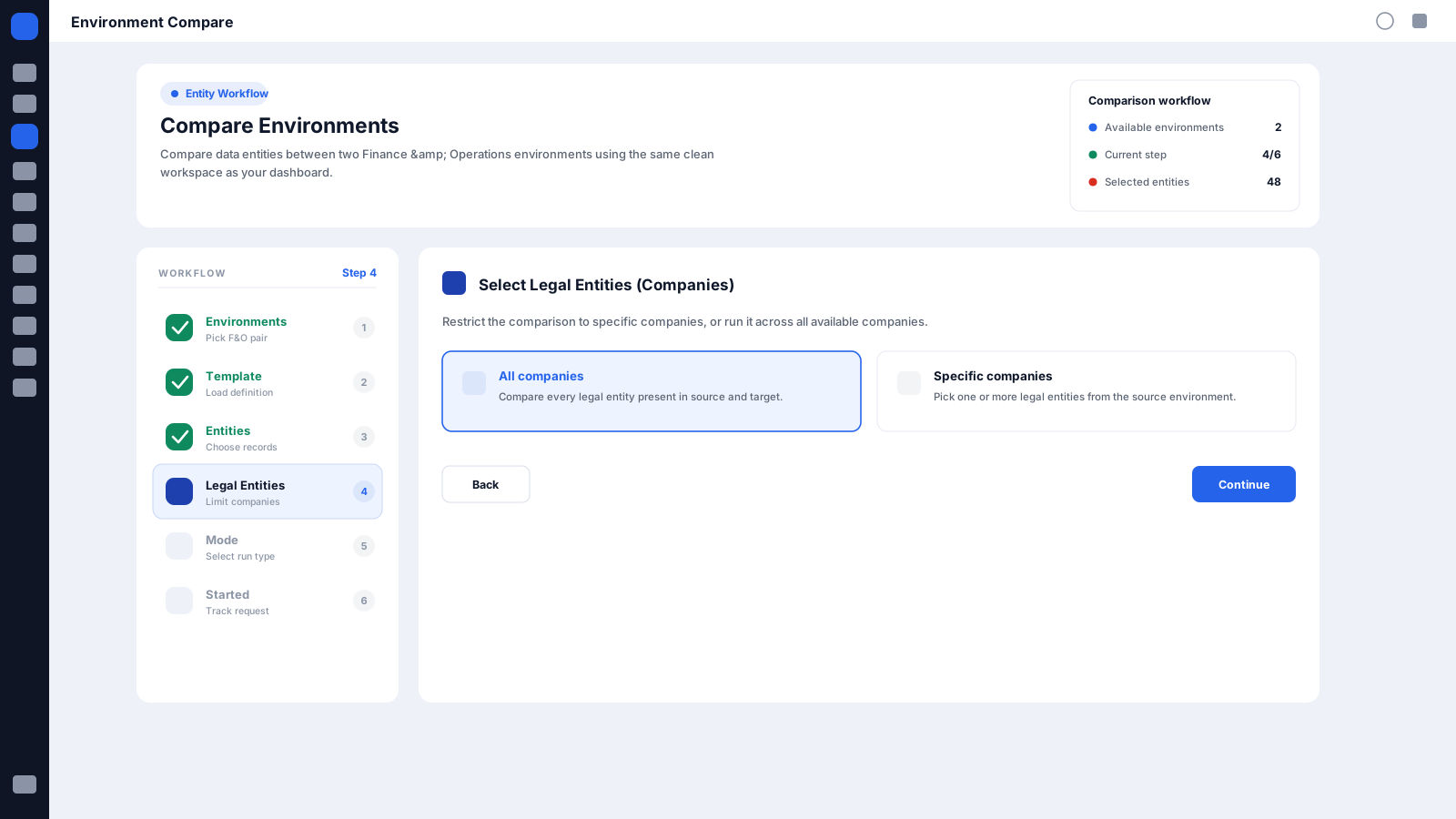
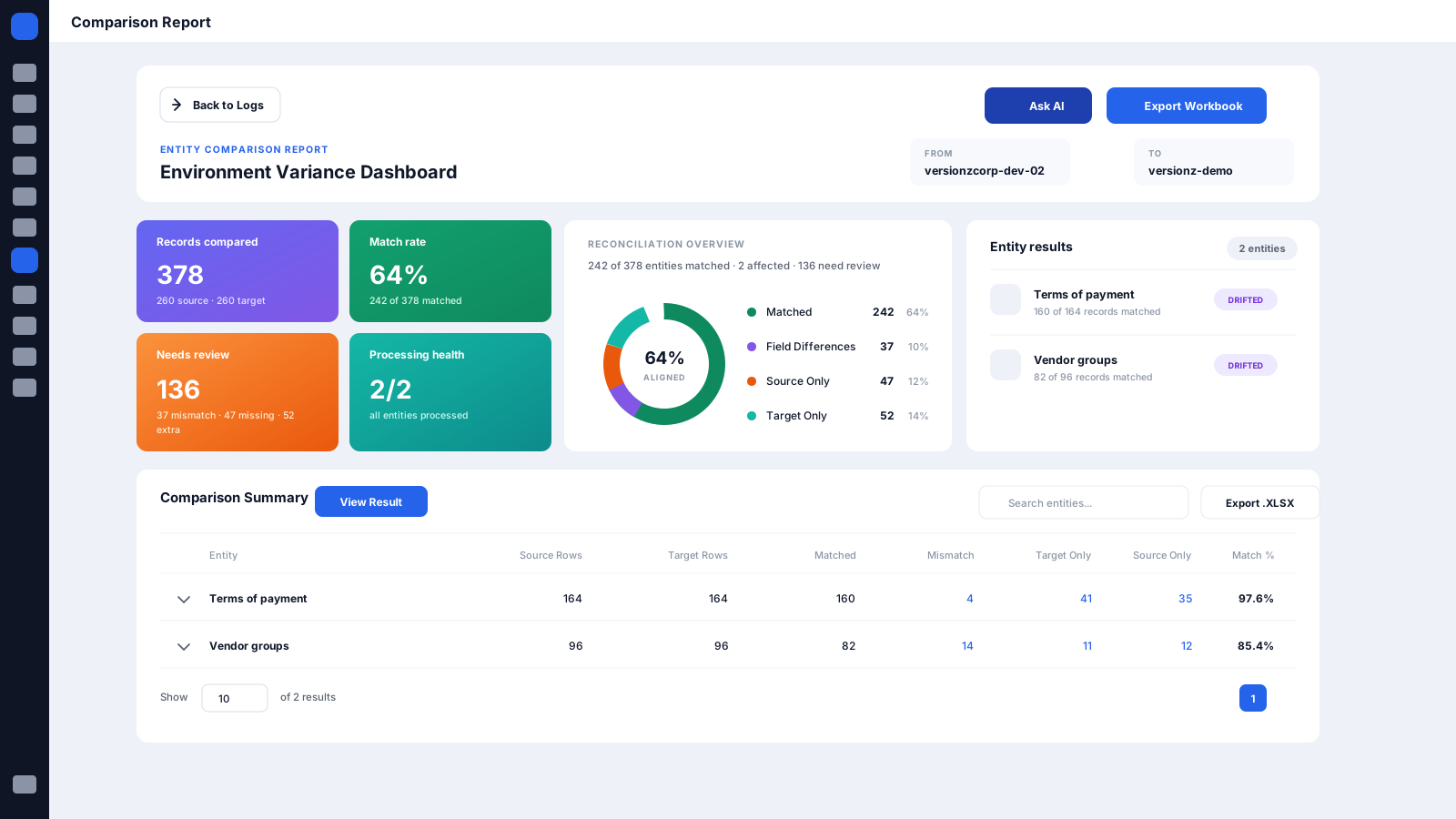
A guided wizard to configure a run, and an interactive dashboard to read the results.
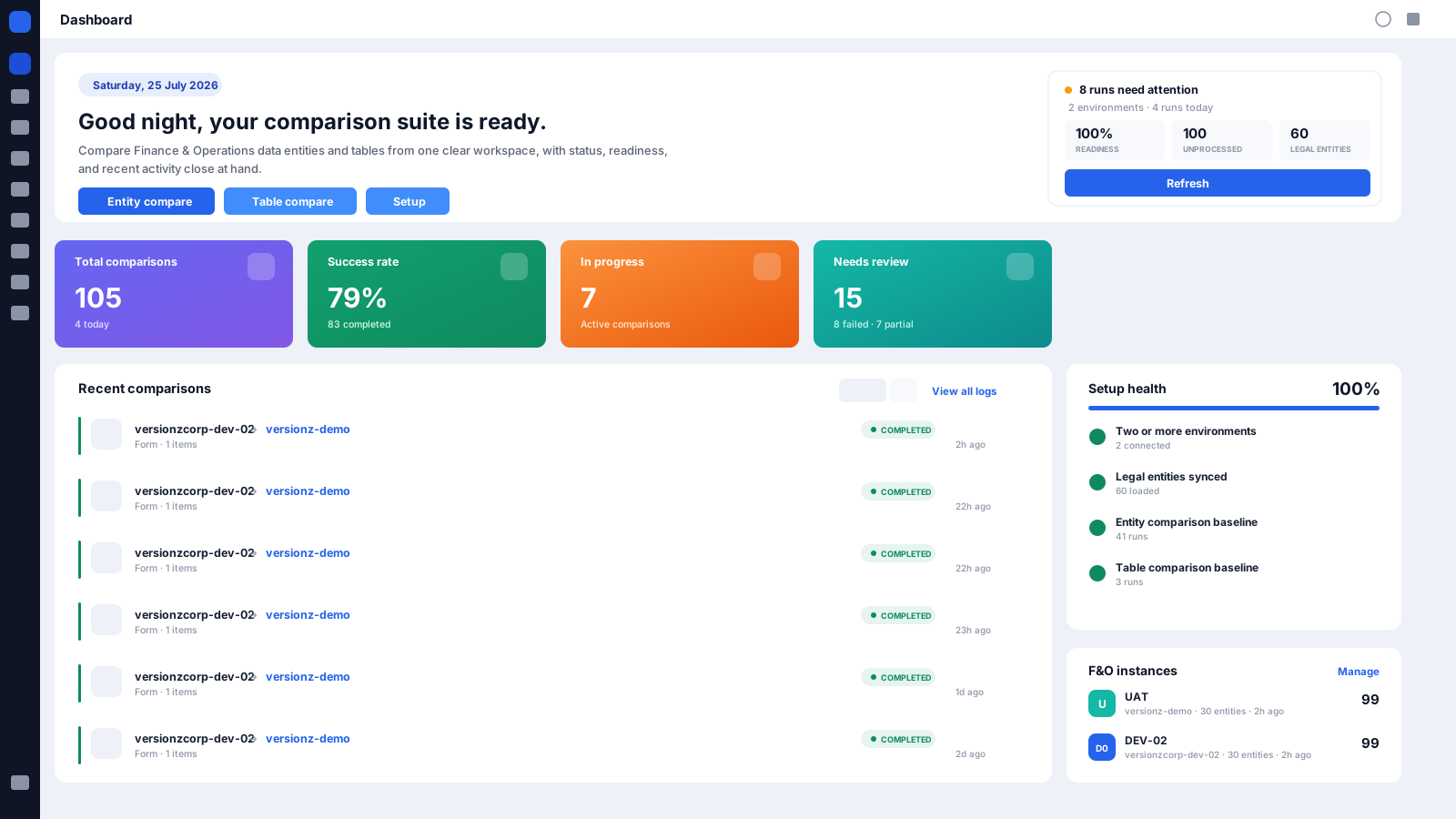
D365 F&O Form-to-Form comparison
Open the D365 F&O form you already work in, pick a source and a target environment, and read the same data side by side - record by record, field by field, per legal entity.
It answers the question that stalls a release: is this form showing the same data in UAT as in Production?
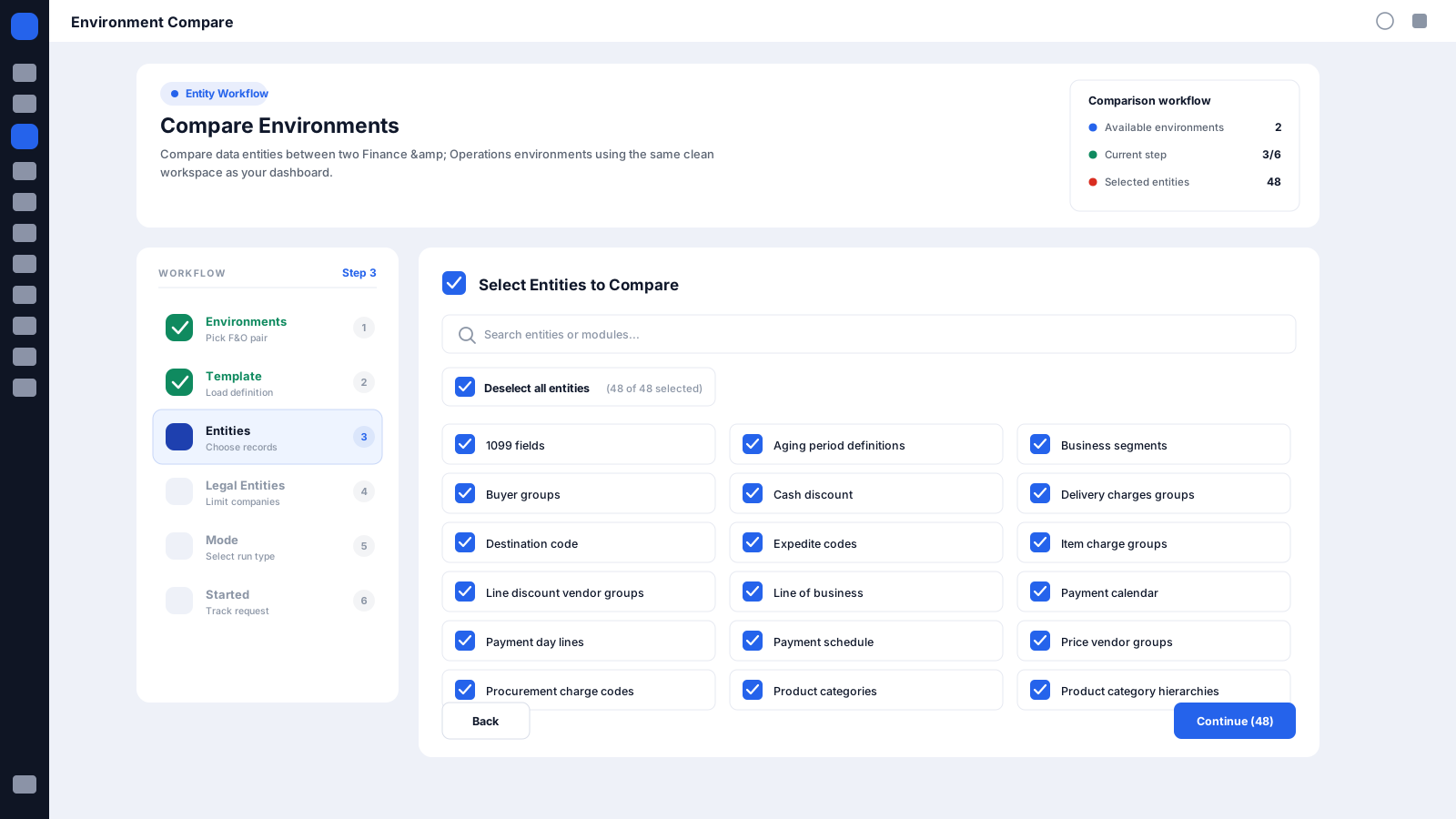
D365 F&O Data Entity comparison
Migrations, deployments, integrations, and environment refreshes all move data entity by entity - the level to validate them at. Coverage includes:
D365 F&O Table-to-Table comparison
When a form difference has no obvious cause, drop to the table - standard and custom Dynamics 365 Finance & Operations Tables, across D365 environments. Use it for:
Dynamics 365 CE comparison
The D365 Comparison Tool is not limited to Finance & Operations. Compare Dynamics 365 Customer Engagement Tables from the same web application. Coverage includes:
Four layers across Dynamics 365 Finance & Operations and Dynamics 365 Customer Engagement, each answering a different question. Start with the team asking it.
| Comparison layer | Platform | Best for | What it validates |
|---|---|---|---|
| Form-to-Form | D365 F&O | Functional and QA teams | Business-facing data, as users see it |
| Data Entity | D365 F&O | Migration and integration teams | Entity datasets, as a load moves them |
| Table-to-Table | D365 F&O | Technical teams | Underlying data, for root-cause tracing |
| CE Table | D365 CE | CRM and Power Platform teams | CRM records and configuration |
Every layer above replaces the same manual routine - spreadsheet exports, ad-hoc scripts, database queries, and separate ERP and CRM tools. One platform covers Dynamics 365 data comparison end to end: environment comparison, migration validation, deployment validation.
Every team needs a different depth of detail. The platform covers all four layers, so each one starts where it is already fluent.
Talk to Sales
Validate business data through the D365 F&O forms you already use.
Trace a difference from the form down to the underlying table.
Verify migrated datasets landed complete in the target environment.

Validate standard and custom D365 CE records across environments.

Compare before and after a release for regression testing and sign-off.
See consistency across the whole Dynamics 365 landscape, ERP and CRM.
Every comparison returns the same five categories, so you act on meaningful differences instead of sifting through raw exports.
Source only
Present in the source, absent from the target.
Target only
Present in the target, absent from the source.
Matched pair
Matching records holding different values.
Field level
Exactly which fields differ, side by side.
Setup data
Variations in application configuration and setup data.
Every stage asks a different validation question. Run a comparison when you need an answer, and schedule it when you need continuous confidence.

Establish a baseline before releasing changes.
Confirm the release landed as expected.
Verify migrated datasets arrived complete in the target.

Confirm a refreshed environment carries the data and configuration teams need.

Give QA a factual baseline for regression and release sign-off.

Watch critical data on a schedule and catch drift early.
Both. Dynamics 365 Finance & Operations at the Form, Data Entity, and Table level, and Dynamics 365 Customer Engagement Tables - from one web application.
No. Form-to-Form Comparison starts from the D365 F&O form you already work in, so functional consultants, QA teams, business analysts and business users can compare without knowing the underlying table or data entity.
Any two D365 environments, in either direction. The Pre-Production tier applies to D365 F&O; D365 CE runs Development through Production.
Record-level, field-level and configuration differences, each categorized automatically - see Difference Types for the full breakdown.
Yes. Schedule daily, weekly or monthly runs with automated email notifications, difference reports, and historical results for drift tracking.
Validate Dynamics 365 environments faster, identify differences earlier, and move deployments and migrations forward with confidence.
Next Step